
I will have my Enterprise Manager server and Linux Packages Repository Server on two different hosts. (It doesn’t have to but my EM server and database is running on ODA X7-2-S so it is a little tight on storage)
| em-host | Enterprise Manager Software, EM database |
| repo-host | Linux Repository |
EM 13.2 Installed and EM 13.2 agent is already deploy to repo-host.
Repo-host configuration
Since the linux host i build from template is setup for spacewalk, remove the current RHN setup.
yum remove rhn-setup
yum remove rhn-client-tools
yum remove rhn-check
I have a BIG DISK mounted on /linux_repo to store all the Linux packages
cd /linux_repo
wget http://linux-update.oracle.com/rpms/uln_register.tgz
wget http://linux-update.oracle.com/rpms/uln_register-gnome.tgz
tar -xzf uln_register.tgz
tar -xzf uln_register-gnome.tgz
total 488drwxr-xr-x. 2 535082 999 4096 Jul 7 2017 uln_migratedrwx------. 2 root root 16384 Sep 28 10:23 lost+found-rw-r--r--. 1 root root 384948 Sep 28 10:25 uln_register.tgz-rw-r--r--. 1 root root 92982 Sep 28 10:25 uln_register-gnome.tgz |
yum remove yum-plugin-ulninfo
yum remove rhnlib
yum remove yum-rhn-plugin
yum remove rhn-setup
yum remove rhn-setup-gnome
yum remove rhn-check
yum remove-client-tools-migrate
(some of the above packages might get remove due to another dependency yum packages)
take a backup of /etc/yum.repos.d/public-yum-ol6.repo (Remove or Disable any spacewalk channels on /etc/yum.repos.d/*.repo file.)
Use oracle public yum repository to install the uln migration package. i.e Enable Ol6 latest channel. (Only enable ol6_latest)
yum repoinfo
Ensure you are getting correct repo, i.e ol<#>_latest, not from ol<#>_spacewalk repo.
cd /linux_repo/uln_migrate
yum install rhnsd
uln_register
Required Oracle Single Sign-On Login email, password and CSI number.
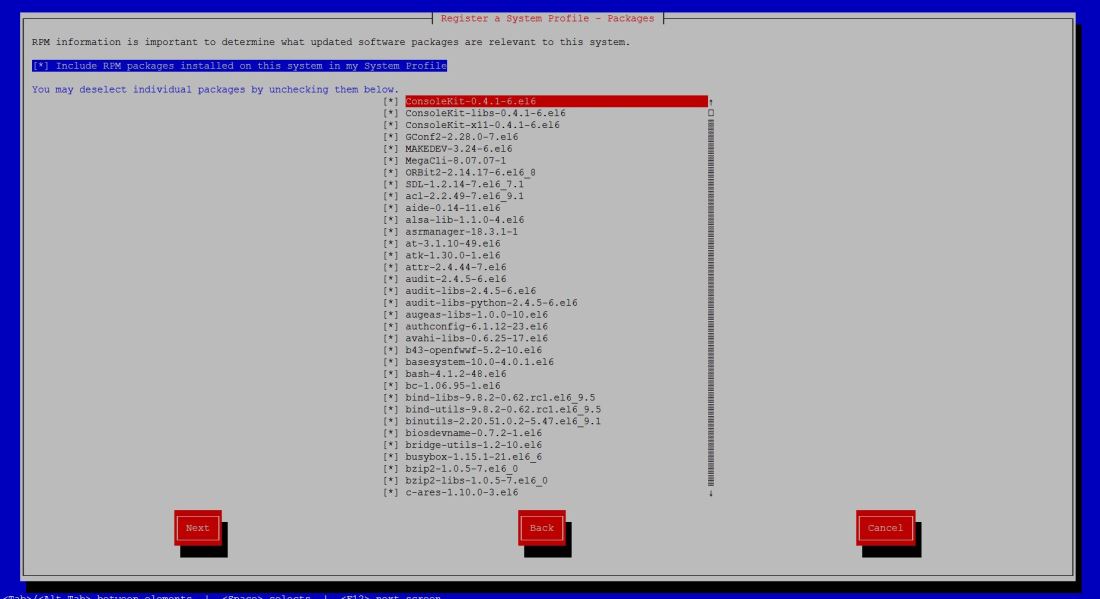
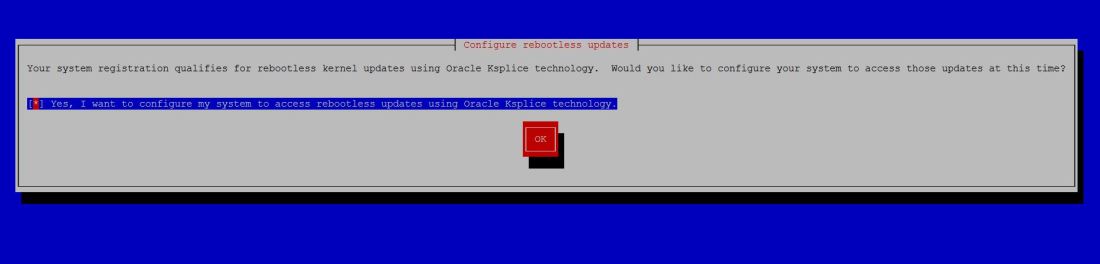
Now go into linux.oracle.com, edit the setting of current server on linux.oracle.com. Enable “Yum Server” so you can subscribe to other version of Linux channel
Deploy EM 13.2 agent to the repository server
(It is crucial that you create this symbolic link)
mkdir -p /var/www/html
cd /var/www/html/
ln -s /linux_repo/repo yum
EM13c webconsole → Job Activity → Type – DownloadLatestPkgs (to view the download packages job status)
yum repolist -v
Loading "rhnplugin" pluginLoading "ulninfo" pluginLoading "refresh-packagekit" pluginLoading "security" pluginConfig time: 0.073This system is receiving updates from ULN.Looking for repo options for [main]Looking for repo options for [ol6_x86_64_latest]Repo 'ol6_x86_64_latest' setting option 'enabled' = '1'Repo 'ol6_x86_64_latest' setting option 'gpgcheck' = '1'Repo 'ol6_x86_64_latest' setting option 'timeout' = '120'Looking for repo options for [ol6_x86_64_ksplice]Repo 'ol6_x86_64_ksplice' setting option 'enabled' = '1'Repo 'ol6_x86_64_ksplice' setting option 'gpgcheck' = '1'Repo 'ol6_x86_64_ksplice' setting option 'timeout' = '120'Looking for repo options for [ol7_x86_64_latest]Repo 'ol7_x86_64_latest' setting option 'enabled' = '1'Repo 'ol7_x86_64_latest' setting option 'gpgcheck' = '1'Repo 'ol7_x86_64_latest' setting option 'timeout' = '120'Looking for repo options for [ol6_x86_64_UEKR4]Repo 'ol6_x86_64_UEKR4' setting option 'enabled' = '1'Repo 'ol6_x86_64_UEKR4' setting option 'gpgcheck' = '1'Repo 'ol6_x86_64_UEKR4' setting option 'timeout' = '120'Yum Version: 3.2.29ol6_x86_64_UEKR4 | 1.2 kB 00:00ol6_x86_64_ksplice | 1.2 kB 00:00ol6_x86_64_latest | 1.4 kB 00:00ol7_x86_64_latest | 1.4 kB 00:00Setting up Package Sackspkgsack time: 0.034Repo-id : ol6_x86_64_UEKR4Repo-name : Unbreakable Enterprise Kernel Release 4 for Oracle Linux 6 (x86_64)Repo-updated : Fri Sep 28 21:38:27 2018Repo-pkgs : 91Repo-size : 828 MRepo-baseurl : https://linux-update.oracle.com/XMLRPC/GET-REQ/ol6_x86_64_UEKR4Repo-expire : 21,600 second(s) (last: Mon Oct 1 08:16:18 2018)Repo-excluded: 30Repo-id : ol6_x86_64_kspliceRepo-name : Ksplice for Oracle Linux 6 (x86_64)Repo-updated : Thu Sep 27 13:58:52 2018Repo-pkgs : 1,827Repo-size : 104 GRepo-baseurl : https://linux-update.oracle.com/XMLRPC/GET-REQ/ol6_x86_64_kspliceRepo-expire : 21,600 second(s) (last: Mon Oct 1 08:16:18 2018)Repo-excluded: 2Repo-id : ol6_x86_64_latestRepo-name : Oracle Linux 6 Latest (x86_64)Repo-updated : Wed Sep 26 14:58:09 2018Repo-pkgs : 8,670Repo-size : 13 GRepo-baseurl : https://linux-update.oracle.com/XMLRPC/GET-REQ/ol6_x86_64_latestRepo-expire : 21,600 second(s) (last: Mon Oct 1 08:16:19 2018)Repo-excluded: 2,493Repo-id : ol7_x86_64_latestRepo-name : Oracle Linux 7 Latest (x86_64)Repo-updated : Fri Sep 28 23:32:39 2018Repo-pkgs : 6,321Repo-size : 6.8 GRepo-baseurl : https://linux-update.oracle.com/XMLRPC/GET-REQ/ol7_x86_64_latestRepo-expire : 21,600 second(s) (last: Mon Oct 1 08:16:19 2018)Repo-excluded: 2,359repolist: 16,909 |
EM 13.2 Webconsole
Provisioning and Patching → Linux Patching → Setup RPM Repository
Package Repositorties URL → http://repo-host/yum/OracleLinux/OL7/latest/x86_64
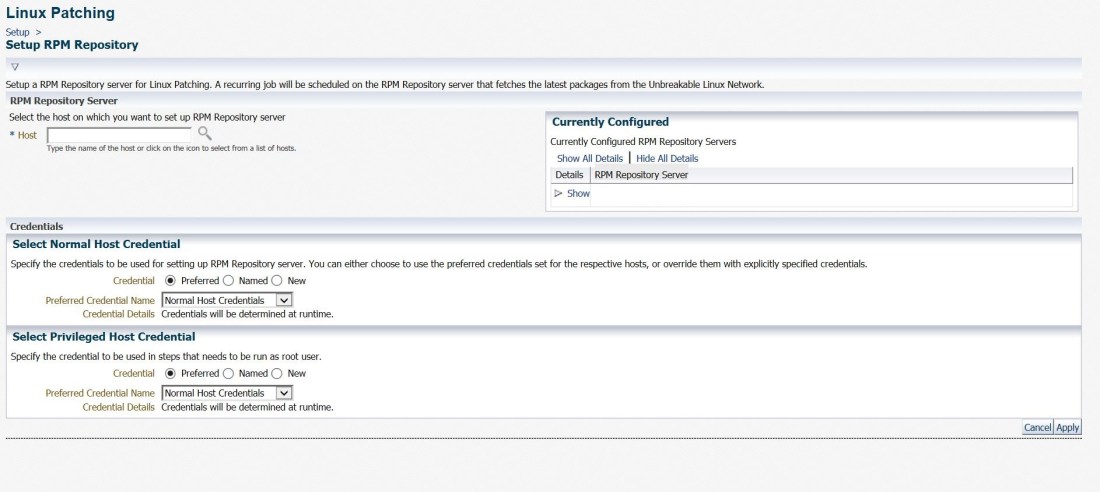
Since i deployed EM 13.2 Agent on repo-host already, i can just click on the magnifying glass and select it.
Enterprise → Provisioning and Patching → Linux Patching
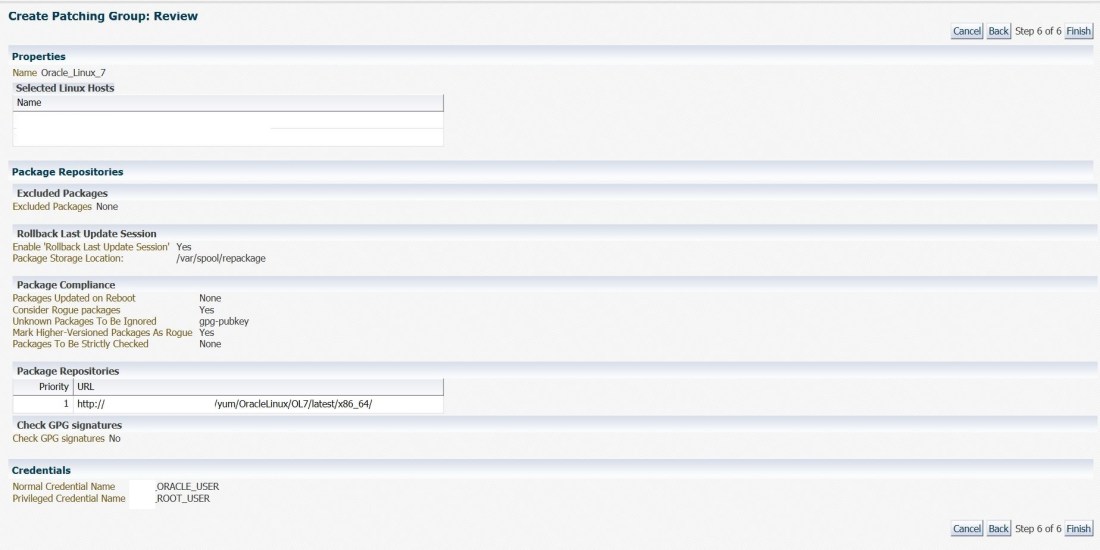

Schedule Patching → Patch away every hosts in this particular Patching Group
 Oracle Journey